LinkScope: Outbound & External Link Checker
One click shows every outbound link on any page, dofollow in green, nofollow in red, sponsored in gold, UGC in purple, highlighted right in the content, with a per-domain breakdown.
What LinkScope does
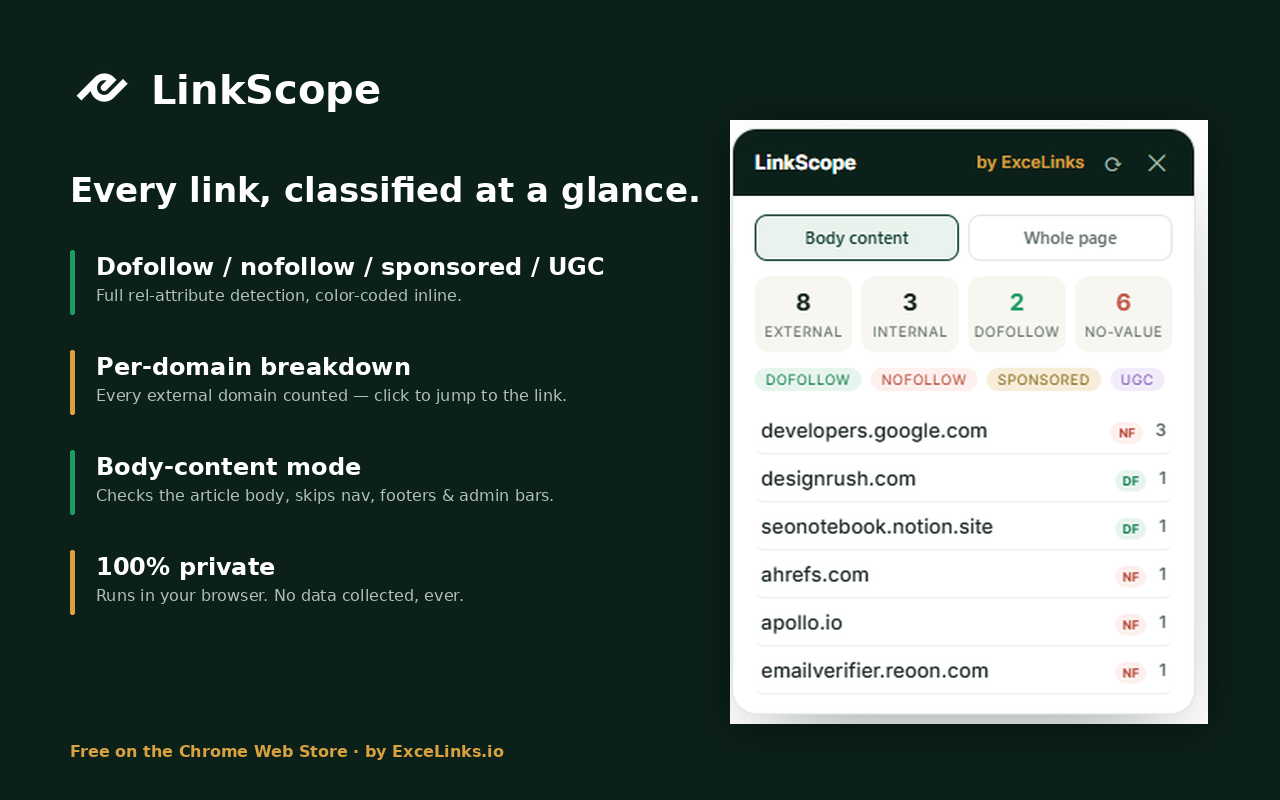
Click the icon on any page and every link lights up where it sits: external dofollow links get a green outline, nofollow red, sponsored gold, UGC purple, and internal links a faint grey. A small panel counts everything and lists every external domain, click a domain and the page scrolls straight to that link. That’s it. No settings, no account, no waiting.
Who it’s for
Link builders, verify a placement in five seconds: is your link live, in the editorial body, and dofollow? SEOs, audit outbound links on your own pages and spot rel-attribute mistakes before Google does. Editors and publishers, review a guest post’s links before hitting publish, and catch the sneaky ones. Anyone curious what a page actually links to.
The feature nobody else has: body-content mode
Most link checkers count everything, nav menus, footers, sidebars, even the WordPress admin bar, burying the links that matter under dozens that don’t. LinkScope defaults to body-content mode: it finds the main article and checks only the links inside it, which is the question you’re actually asking. One click switches to whole-page mode when you want the full audit.
Private by design
LinkScope runs entirely in your browser, only on the page where you click it. It makes no network requests, has no server, no analytics, no tracking, your browsing never leaves your machine. Read the full (short) privacy policy.
Frequently asked questions
Is LinkScope really free?
Yes, completely free, no premium tier, no sign-up. We build free tools for the SEO community; this one scratches an itch we have every single day.
What’s the difference between dofollow and nofollow?
A dofollow link (the default) passes SEO value to the linked site. A nofollow link tells Google not to pass value. “Sponsored” marks paid links and “UGC” marks user-generated ones, both are treated like hints similar to nofollow. If you’re building links, dofollow placements in the body content are the ones that move rankings.
Does it work on every website?
Every normal website, yes. Browsers block all extensions on internal pages (like chrome:// settings and the Web Store itself), that’s a Chrome rule, not a LinkScope limitation.
Why does it show different counts than other checkers?
Body-content mode. Other tools count nav, footer and sidebar links; LinkScope’s default counts only the article body, the links that actually matter editorially. Switch to whole-page mode and the numbers will line up.
Do you collect any data?
None. The extension has no server and makes no network requests. Everything happens locally in your browser and disappears when you close the panel.
Why is a link building agency giving this away?
Because we check outbound links all day, verifying placements for clients is literally our job, and we built the tool we wanted to exist. If you’d rather someone else build and verify your links, that’s what we do.
Ready to see your links?
Free, instant, and private. Works the moment you install it.